In this hypothetical scenario, invoice 1040 received a payment
of $122 and was later requested to be refunded.
Initial Payment
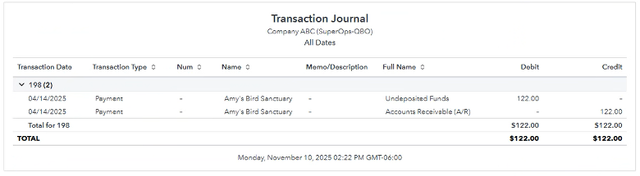
When the initial payment occurs, FlexPoint will mark the invoice
as Paid. The initial payment appears as below in your accounting
system.
You can see Undeposited Funds is debited (increases) and Account
Receivable is credited (decreases).
Undeposited Funds acts as a temporary holding account until funds
hit your actual bank account.
Initial Deposit
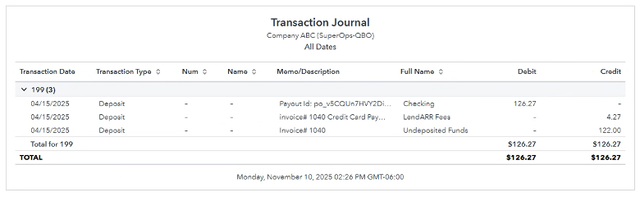
Once the initial payment is sent for deposit to your actual bank
account, FlexPoint will create a bank deposit transaction in
your accounting system –
moving money from Undeposited Funds into your actual bank account.
You will see the below ledger transactions which debit (increase)
your bank account balance (Checking in this case) and credit
(decrease) Undeposited Funds
and credit (increase) the Fees account to record any payment
processing fees.
Refund Requested
The client has now requested a refund of the $122 payment.
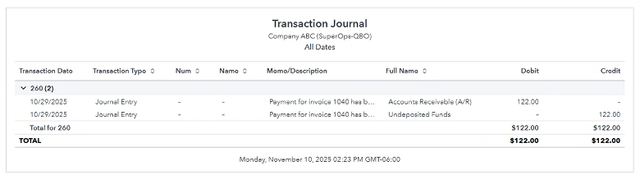
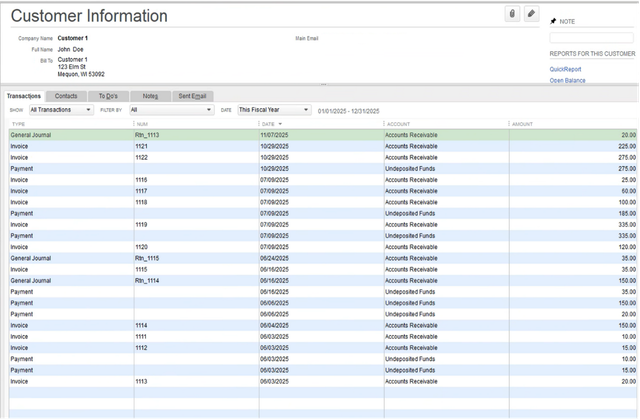
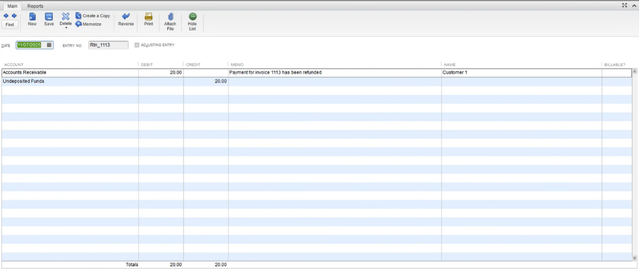
When the $122.00 payment is requested to be refunded, the below
journal entries will be recorded which are a debit (increase)
to Accounts Receivable
and credit (decrease) to the Undeposited Funds account.
Note that refunds are netted from future deposits, which is why
the Undeposited Funds account is used in this journal entry.
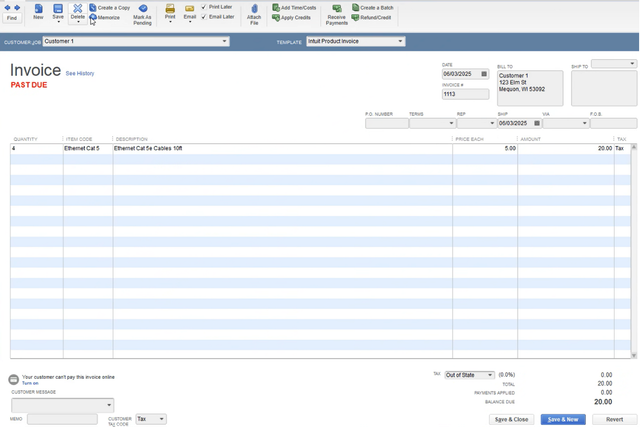
FlexPoint will unlink the initial payment from the invoice to the journal entry.

These actions will Reopen the invoice (invoice 1040 in this example)
to Unpaid.

Refund Processed
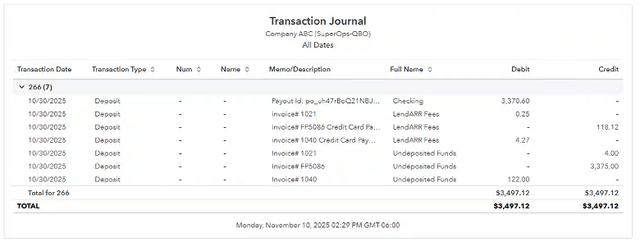
Refunds are funded from future payments, and the below entries
appear once the refund is actually processed.
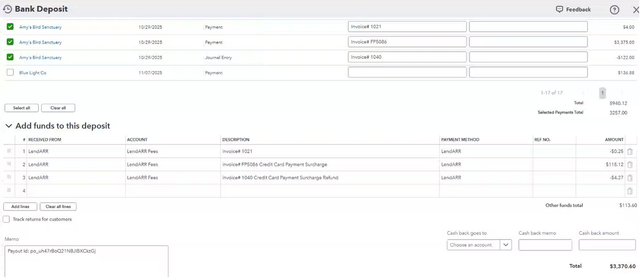
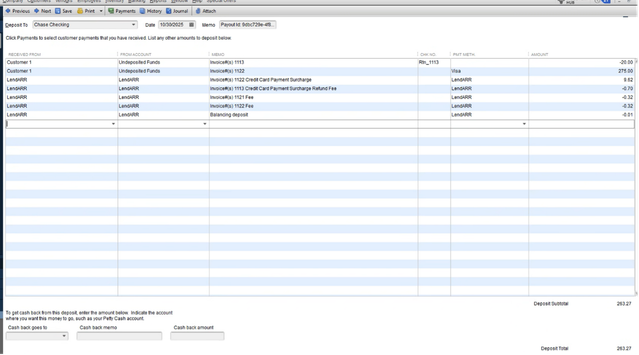
In the below example, a $3,370.60 deposit was sent to the Checking
account.
It included payments for several other invoices along with the
Refund for invoice 1040.

Comments
0 comments
Please sign in to leave a comment.